What to Download Before Driving Through Iceland’s Remote North
Prepare for Iceland’s remote north with offline maps, saved road and weather updates, fuel stops, emergency contacts, and booking details.
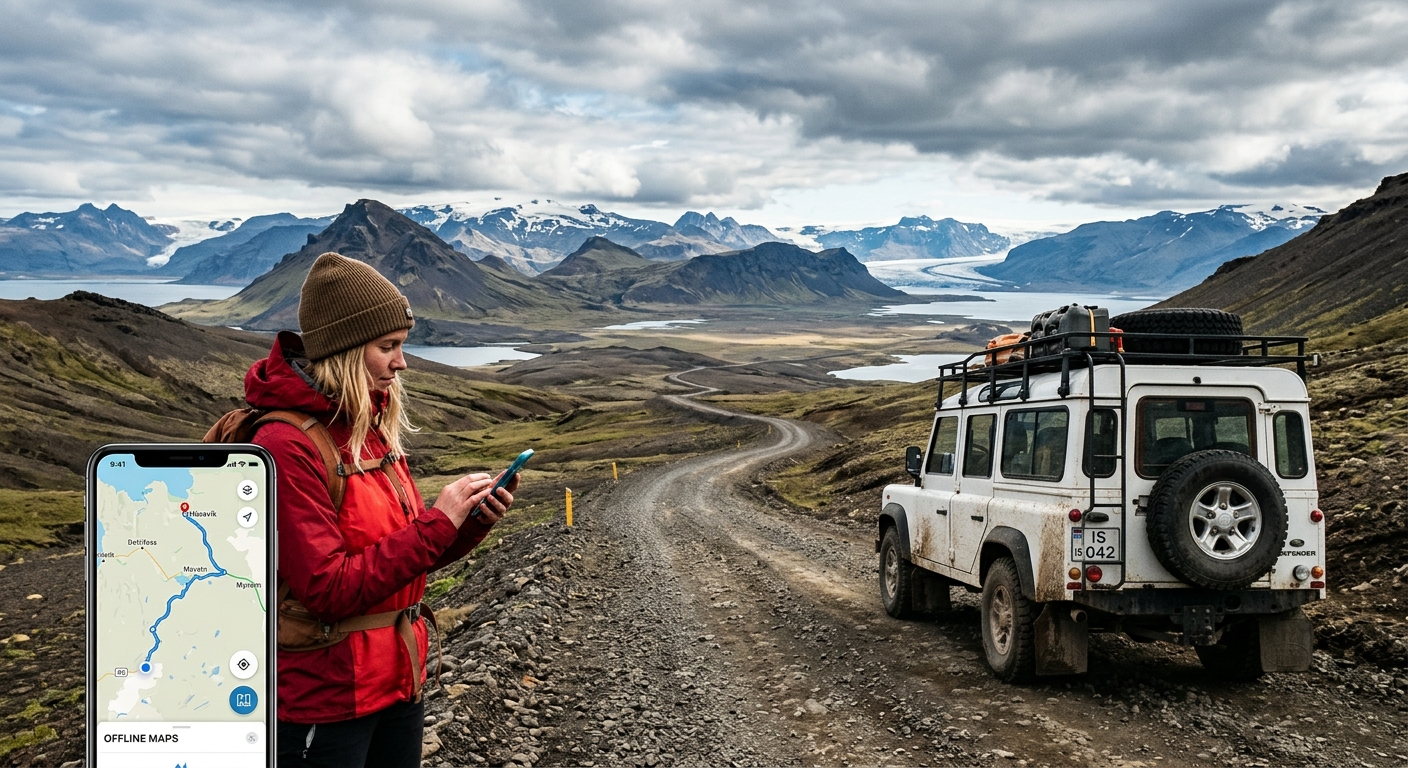
Your next turn is coming up, the mobile signal has disappeared, and your guesthouse directions are sitting inside an email that will not load. That is an avoidable kind of stress. Before driving through Iceland’s remote north, save the information you would need if your phone lost its connection for the rest of the day. Think beyond a map. Road updates, weather warnings, fuel stops, emergency contacts, and accommodation instructions all deserve space on your phone.
Prepare your phone to work without a signal, then refresh changing information before each drive.
- Download maps covering your route, nearby towns, and realistic alternatives.
- Save dated road updates, weather warnings, fuel information, and emergency contacts.
- Keep bookings, arrival instructions, and a shared travel plan available offline.
Build an Offline Folder Before Leaving Reliable Wi-Fi
Create one folder called “North Iceland” in your phone’s files. Put downloads there instead of scattering them across emails, browser tabs, and messaging apps. Use filenames you can recognize while tired: “Tonight Guesthouse,” “Rental Assistance,” and “Tomorrow Route” are useful starting points.
Save documents directly to the device. A file visible in cloud storage may still need downloading before it opens. Test your folder in airplane mode. Open each booking, enlarge each screenshot, and check that your map still shows the roads around your accommodation.
Give another adult in your group a copy. A second phone helps if the first runs out of battery or gets damaged. A printed sheet with your accommodation addresses, rental assistance number, and emergency contacts also earns its place in the glove compartment.
Download Maps Beyond Your Planned Driving Line
A narrow strip around the Ring Road leaves little room for a changed plan. Download a wider area covering your northern overnight stops and the roads connecting them. For a journey between Akureyri, Mývatn, Húsavík, and the northeast coast, include the surrounding settlements and connecting routes you might reasonably use.
If your itinerary follows the Arctic Coast Way toward Raufarhöfn or Þórshöfn, check that those coastal sections appear in your download. A map saved for central North Iceland may not extend far enough east. Zoom in before departure and inspect the actual download boundary.
Save pins for accommodation, fuel stations, food stops, and your intended attractions. Add the entrance or parking location where possible. A pin in the middle of a large property is less helpful than a saved driveway entrance.
Test What Your Map Can Do Offline
Offline features vary between mapping apps. Some retain driving directions but offer fewer search functions. Others need an extra regional download for detailed roads. In airplane mode, try finding tonight’s guesthouse and calculating a route from your current location.
Your phone can generally determine its position using satellite positioning without mobile data, but it still needs downloaded map detail to show that position usefully. Offline routing also cannot tell you whether a road has just closed. Treat it as a route reference, with current road information checked separately.
Save Road Conditions With a Time Stamp
Before leaving Wi-Fi, open the Icelandic Road and Coastal Administration’s current road information. Inspect your full route, including smaller access roads near the end. Save screenshots that show road numbers, condition labels, and the map legend. A colored line means little if you have forgotten what its color represents.
The administration’s road information service provides guidance on conditions through 1777 and publishes updates through its traffic information system. Save that number before departure. Check the service’s current contact details and availability while connected.
Write the date and time beside each saved road update. Yesterday’s screenshot is a record of yesterday’s conditions. It cannot confirm that a route remains open this morning.
This distinction matters around exposed stretches and mountain crossings. A navigation app may offer an apparently shorter alternative when your intended route becomes difficult. Do not accept it without checking the road’s status and your rental agreement. A downloaded map does not establish that a road is suitable for your vehicle.
Keep Weather Warnings Alongside Your Route
Save the Icelandic Meteorological Office’s regional warning text and forecast before starting each driving day. Include the warning’s affected area, start and end times, and travel advice. A screenshot of a weather symbol alone leaves out much of the information you need.
Read the forecast for the places you will drive through, not just the town where you slept. A calm morning beside your accommodation does not describe every coastal stretch or higher section ahead. For a drive from Akureyri toward Mývatn, assess the route as a whole before setting off.
Save the expected wind, gusts, precipitation, temperature, and visibility information when available. For a campervan or another tall vehicle, ask your rental company how its weather restrictions apply to the vehicle you have collected. Keep that advice with your rental documents.
Refresh warnings whenever you have a dependable connection, especially before leaving a town for a longer stretch. If official advice calls for postponing travel, adjust your bookings and stay somewhere suitable. A saved itinerary should remain easy to change.
Turn Fuel Stops Into a Saved Plan
A fuel symbol on a map is a starting point. Before a longer coastal drive, save the station’s location and check its current operating arrangements. An unattended pump may work differently from a staffed station, and a shop’s opening hours may differ from fuel availability.
Build your fuel plan around the car you actually receive. Check the fuel type, understand the range display, and ask how to operate the fuel flap. If you collect an electric vehicle, save compatible charging locations and prepare any required payment setup while connected.
For a journey through Húsavík, Ásbyrgi, Kópasker, and farther along the northeast coast, identify your intended refill and a backup before leaving. Check the distances using your chosen route. Add room for detours and changing conditions rather than planning to arrive almost empty.
- Save two fuel options: Keep your planned stop and a practical backup pinned offline.
- Check payment arrangements: Carry a physical payment card and know its PIN where required.
- Record useful details: Save the fuel type, station access information, and any confirmed operating hours.
- Refill with room to spare: Use a suitable open station before a remote section instead of relying on the last possible stop.
Put Emergency Contacts Somewhere Easy to Find
Save 112 as Iceland’s emergency number. Add your rental company’s breakdown assistance, travel insurer’s assistance line, and accommodation contact numbers to your phone. Keep a plain-text copy in your offline folder as well. Label each number clearly so another traveler can use it.
For travel safety guidance, consult Iceland’s official safety service before departure. It provides travel conditions, preparation advice, and travel-plan tools. Its guidance also stresses that Icelandic weather and road conditions can change fast. Use its current information alongside the road administration’s updates and the meteorological office’s forecasts.
Share your route and expected arrival time with a trusted person. Agree on what they should do if you miss a check-in. Make that agreement realistic for a day with possible signal gaps, and send an update when your route changes.
Know how to find your location coordinates in your chosen map app. In an emergency, road numbers, your last known location, and nearby landmarks can help you describe where you are. Try calling 112 even if your usual network appears unavailable, but understand that a phone cannot guarantee a connection where no usable mobile network reaches.
Save Bookings Down to the Door Code
A confirmation email may prove you have a room without telling you how to enter it. Download the full arrival instructions, including door codes, key collection details, parking directions, check-in deadlines, and the host’s contact number.
Read those instructions before leaving your previous stop. Rural accommodation may require a turn onto a smaller road or a particular entrance. Save a screenshot of the final approach and compare the property name with the address in your booking.
Keep activity confirmations offline too. Whale-watching departures, bathing reservations, and guided excursions may have specific meeting points or arrival requirements. Save the operator’s latest instructions and cancellation contact details. If the weather changes your drive, contact the operator when you have service instead of rushing to protect a reservation.
Prepare Connectivity Without Depending on It
Mobile data helps you refresh warnings, contact hosts, and check revised plans when service is available. If your device supports it, you can buy eSIM as one connectivity option. Check device compatibility, destination availability, and current terms before purchasing. No mobile option should be treated as a promise of coverage across every remote road.
Complete any necessary installation steps while you have reliable Wi-Fi. Keep the instructions accessible offline, and check how your phone selects its data connection. A data plan may not include ordinary voice calls, so understand your calling arrangements separately.
Pack a charging cable that works in your rental car and a charged power bank. Keep the phone secure while driving, and pull into a safe stopping place before reviewing maps or warnings. Let a passenger handle updates where possible.
Run a Final Offline Check Before Each Departure
The best preparation takes only a few minutes once your folder is ready. Before leaving your accommodation, refresh changing information and open the files needed for that day.
- Maps: Confirm the downloaded area includes today’s route and tonight’s destination.
- Roads: Review current conditions and save a dated copy with its legend.
- Weather: Read regional warnings, their timing, and the advice attached to them.
- Fuel: Check your remaining range against the next planned stop and backup.
- Bookings: Open arrival instructions, access codes, and contact details offline.
- Communication: Share any route changes and confirm your next check-in time.
Leave Town With the Details Already in Your Pocket
Driving through Iceland’s remote north feels easier when the next practical decision does not depend on a loading screen. You know where you intend to refuel. Your accommodation instructions open without Wi-Fi. Your maps cover more than a thin line between attractions.
Download the stable details, refresh the changing ones, and leave enough time to pause when conditions require it. That gives you space to enjoy the northern coast without turning a lost signal into a problem you could have solved before departure.
Read next
-
 Iceland SIM Card and eSIM Guide for First-Time Ring Road Drivers
Compare Iceland SIM cards, eSIMs, and Wi-Fi hotspots for your ring road trip — with honest notes on Highland and Westfjords coverage gaps.
-
 Icelandic Place Names: The Word-Parts That Decode the Map
Icelandic place names are compounds that describe the place. Learn twenty word-parts and most of the map explains itself.
-
 Icelandic Road Signs: The Words You Need Before You Drive
Iceland signs its hazards in Icelandic. Six words matter more than the rest, and two of them appear on the Ring Road hourly.
-
 Icelandic Phrases for Travellers, and When They Actually Help
Everyone in Iceland speaks English, so phrases are courtesy rather than necessity. These are the ones that land well.