Iceland SIM Card and eSIM Guide for First-Time Ring Road Drivers
Compare Iceland SIM cards, eSIMs, and Wi-Fi hotspots for your ring road trip — with honest notes on Highland and Westfjords coverage gaps.
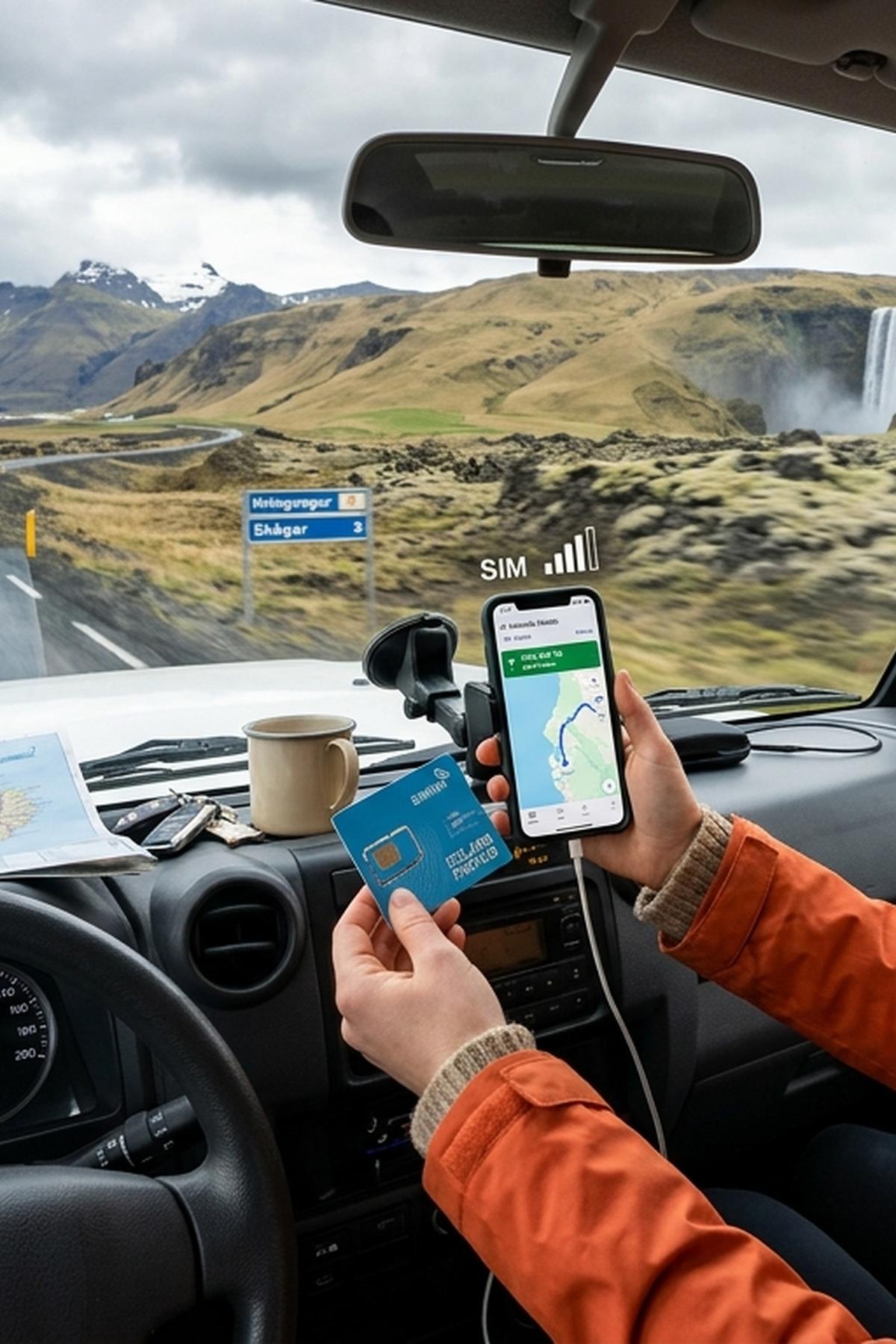
Two weeks driving Iceland's Ring Road sounds like a dream. And it is. But the moment you turn off Route 1 onto a gravel F-road with rain closing in and zero phone signal, the dream gets a sharp edge. Staying connected in Iceland is not just about checking social media. It is about downloading maps before you lose signal, pulling up live weather warnings, and knowing how to call for help if your 4x4 goes wheels-deep in a river crossing. This guide breaks down your real options before you land at Keflavík.
Getting connected in Iceland takes five minutes of planning at home and saves hours of frustration on the road.
- eSIMs activated before departure are the most flexible option for solo travelers and those with compatible phones.
- Local SIM cards from Keflavík Airport offer strong coverage along the main Ring Road but get unreliable in the Highlands and Westfjords.
- Portable Wi-Fi hotspots suit groups and families but add a daily rental cost and one more device to charge.
Why Good Coverage Changes the Whole Trip
Iceland's landscape is staggering. It is also genuinely remote. The Ring Road stretches roughly 1,332 kilometres around the island and passes through areas where the nearest town is an hour's drive away. In those stretches, your phone becomes your navigation system, your weather station, and your emergency line.
Iceland's main mobile operators, Síminn, Nova, and Vodafone Iceland, have done a decent job covering the Ring Road corridor. Signal is reliable in Reykjavík, along the South Coast, and around the Snæfellsnes Peninsula. Outside those zones, things get patchier fast. The Westfjords are notorious for dead zones. The Highlands are essentially off-grid by design.
Knowing this in advance changes how you plan. You download maps offline the night before a Highland drive. You check the weather app before leaving the guesthouse, not from the roadside. Small habits, big difference.
Your Three Main Options for Staying Connected
Buying a Local SIM Card at Keflavík Airport
This is the classic approach and it still works well. Keflavík International Airport has a Síminn kiosk in the arrivals hall, and you can pick up a prepaid SIM with a data package before you even collect your rental car. Prices are reasonable. Setup takes under ten minutes if your phone is unlocked.
The downside is that your phone must be SIM-unlocked. Some travelers arrive only to discover their handset is locked to a home carrier. If you are not sure, check before you fly. A locked phone makes a local SIM useless.
Coverage on the local SIM leans on whichever network the SIM uses. Síminn has the widest coverage footprint in Iceland and is generally the safest bet for Ring Road driving. Nova and Vodafone Iceland are cheaper in some packages but cover less ground in rural areas.
Renting a Portable Wi-Fi Hotspot
Portable hotspots, often called pocket Wi-Fi devices, are popular with families and groups because multiple devices share one connection. You pick one up at the airport or arrange delivery to your accommodation. Daily rental rates run roughly 10 to 20 euros depending on the provider and data package.
The appeal is obvious. Everyone in the car stays connected without burning through a single SIM. The drawbacks are just as obvious. It is one more device to keep charged. It relies on the same Icelandic networks as a local SIM, so coverage gaps hit you the same way. And if the hotspot dies or runs out of data mid-Highlands, you are in the same situation as everyone else.
Activating an eSIM Before You Leave Home
eSIMs have changed the game for international travel. Instead of buying a physical SIM card, you scan a QR code or use an app to load a virtual SIM onto your phone. You keep your home number active for calls and messages, while the eSIM handles your data in Iceland.
The big win here is timing. You can activate the eSIM days before departure, test it at home, and arrive in Iceland already connected. No airport kiosk queue. No fumbling with a SIM ejector tool in a busy arrivals hall. For anyone who has never done this before, a step-by-step iPhone eSIM setup walkthrough removes the guesswork completely before you board.
eSIM data plans for Iceland are sold by a growing number of international providers. Coverage depends on which local network the eSIM piggybacks onto. Check before buying. Plans that use Síminn as the underlying carrier give you the best rural reach.
Iceland SIM and Connectivity Options Side by Side
| Option | Typical Cost | Setup | Best Coverage Network | Multiple Devices | Ideal For |
|---|---|---|---|---|---|
| Local SIM (Keflavík) | 3,000, 5,000 ISK (approx. 20, 35 EUR) | At airport; unlocked phone required | Síminn | No | Solo travelers, budget-focused |
| Pocket Wi-Fi Hotspot | 10, 20 EUR per day | Rental at airport or pre-booked delivery | Varies by provider | Yes (up to 5, 10 devices) | Families, groups |
| eSIM (pre-departure) | 15, 40 EUR for two weeks | Activated from home, no hardware needed | Depends on eSIM provider | No (unless used as hotspot) | Tech-comfortable solo travelers or couples |
Where Coverage Gets Honest: Highlands, Westfjords, and the Gaps
No provider will give you seamless coverage everywhere in Iceland. That is the honest truth. The main Ring Road corridor is well served. Step off it and you are more often on your own than the coverage maps suggest.
The Westfjords are the most dramatic example. Signal comes and goes in the fjords. Some valleys have no reception at all. The roads there are slow, and the distances between settlements are long. Before driving into the Westfjords, download your offline maps and check road conditions while you still have signal.
The Highlands are a different story entirely. The central Highland routes, primarily the Kjölur (F35) and Sprengisandur (F26) roads, pass through uninhabited desert for hours at a time. You will not have reliable signal. This is not a complaint about any particular network. It is just the nature of driving through one of Europe's last true wildernesses. Plan accordingly.
Outside the Highlands, the East Fjords can also be quieter for signal than the South Coast. Gaps tend to appear on longer stretches between towns like Djúpivogur and Höfn. Keep your navigation downloaded and your weather check done before you start those drives.
Offline Navigation Is Not a Backup Plan, It Is the Plan
Even with a working SIM or eSIM, you will encounter stretches where data drops. That makes offline maps non-negotiable on a Ring Road trip. There are several solid options worth knowing before you go:
- Maps.me covers Iceland in good detail, including many F-roads and smaller tracks that Google Maps misses entirely.
- Google Maps offline works for the main Ring Road corridor but is less reliable for remote Highland routes.
- Gaia GPS is favored by off-road drivers because it shows terrain layers. Worth the subscription if you plan to tackle mountain roads.
- Apple Maps offline, available on iOS 17 and above, is a solid default for casual drivers staying on paved roads.
- Vegagerðin, the Icelandic Road Administration app, gives live road condition updates. Download it and check it each morning during volatile weather windows.
Download all maps the evening before each major drive leg, while you are on the guesthouse Wi-Fi. Do not leave it until morning.
Weather Apps and Emergency Preparedness on Remote Roads
Weather in Iceland changes faster than almost anywhere else in Europe. A clear morning on the South Coast can turn into a whiteout by afternoon. Staying connected means staying informed, and that means having the right apps loaded before you drive into exposed terrain.
The Icelandic Meteorological Office app, known as Veður, is the gold standard for in-country forecasting. It gives hyperlocal forecasts down to individual roads and mountain passes. Road closures triggered by weather appear there before they surface anywhere else. There is no real equivalent for Iceland-specific conditions.
Before driving into remote areas, register your route on Iceland's traveler safety portal , it takes two minutes and ensures search and rescue teams know exactly where to look if something goes wrong. This is not dramatic. It is just sensible. Registration is free and the form is straightforward.
Emergency calls in Iceland go through 112. In many cases, even phones with no active data plan can still connect to emergency services via whatever network is available. But do not rely on that for navigation or weather updates.
How to Stop Paying Roaming Fees for Two Weeks
Roaming charges from home carriers are still a real trap for travelers who do not plan ahead. A two-week road trip with heavy map use can generate a significant phone bill if you are leaning on your home plan's international roaming. Here is how to handle it before you land:
- Check your carrier's Iceland roaming rates before you fly. Some EU-based carriers include Iceland in their roaming bundle at no extra cost. Travelers from the US, Canada, Australia, and elsewhere should assume roaming is expensive unless confirmed otherwise.
- Turn off cellular data roaming in your phone settings before you land. This stops your phone automatically connecting to Icelandic networks and racking up charges the moment you touch down.
- Set up your local SIM or eSIM before enabling data again. With roaming off and a local data source active, you pay local Iceland rates instead of your home carrier's international markup.
- Use guesthouse or campsite Wi-Fi each evening for heavy downloading: map updates, the next day's weather forecast, and any offline playlists for the drive.
- Pause your home data plan if your carrier allows it. Some providers let you suspend your plan for a fixed period and reactivate it on return, which can save a monthly billing cycle if you are away for the full period.
None of this is complicated. It just requires doing it before the plane lands rather than after you notice the charges arriving by text.
Connected From Keflavík to Vík and Every F-Road in Between
Iceland rewards drivers who prepare. The Ring Road is genuinely accessible to first-timers, but the moments that go wrong tend to happen in remote places where signal is thin and help is far. Connectivity is not a luxury on this trip. It is a practical layer of safety that sits underneath all the scenery.
The best setup for most travelers is an eSIM activated before departure paired with offline maps downloaded the night before each drive leg. Add a weather check each morning as a non-negotiable habit, and register your Highland routes with Iceland's safety portal. These are small steps. They do not take long. And they mean that if the weather turns or a gravel road surprises you, you are dealing with the situation instead of also dealing with a dead phone and no data.
Two weeks on Iceland's Ring Road is one of the best road trips on earth. Arrive connected, check the forecast, and leave the roaming charges at home where they belong.
Read next
-
 Icelandic Place Names: The Word-Parts That Decode the Map
Icelandic place names are compounds that describe the place. Learn twenty word-parts and most of the map explains itself.
Icelandic Place Names: The Word-Parts That Decode the Map
Icelandic place names are compounds that describe the place. Learn twenty word-parts and most of the map explains itself.
-
 Icelandic Road Signs: The Words You Need Before You Drive
Iceland signs its hazards in Icelandic. Six words matter more than the rest, and two of them appear on the Ring Road hourly.
Icelandic Road Signs: The Words You Need Before You Drive
Iceland signs its hazards in Icelandic. Six words matter more than the rest, and two of them appear on the Ring Road hourly.
-
 Icelandic Phrases for Travellers, and When They Actually Help
Everyone in Iceland speaks English, so phrases are courtesy rather than necessity. These are the ones that land well.
Icelandic Phrases for Travellers, and When They Actually Help
Everyone in Iceland speaks English, so phrases are courtesy rather than necessity. These are the ones that land well.
-
 The Icelandic Alphabet: Þ, Ð, Æ, Ö and How to Read Them
Icelandic has four letters English does not, and every road sign uses them. What they sound like, how to type them, and where to go next.
The Icelandic Alphabet: Þ, Ð, Æ, Ö and How to Read Them
Icelandic has four letters English does not, and every road sign uses them. What they sound like, how to type them, and where to go next.